(169) Microsoft 365 Apps Prompting to Sign In (AAD Broker Plugin Issue)
- Mr B SOE way
- Jun 30, 2025
- 2 min read

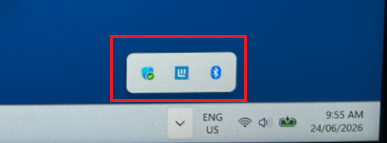
It all started last week late Tuesday afternoon for me, first thing I noticed was that my 'Windows' key wasn't working, then eventually Teams did show a message with this:

I signed out and tried to sign in, when I realise it was broken. Eventually I restarted my device, and discovered that:
Outlook was showing "Trying to Connect" then eventually "Disconnected"
Teams was displaying the sign-in screen
OneDrive prompted to Sign in
Pressing Windows key - you could see it trying to load then closed down
Company Portal failed to startup
All built-in store apps failed including M365 App Copilot
This only affected Lenovo devices, within my company - myself and one another are using the Lenovo Legion laptops, we were impacted.
I eventually ended up checking reliability history for the logs and I could see 8000 logs for the day failing with:
Faulting application name: BackgroundTaskHost.exe, version: 10.0.26100.1, time stamp: 0x5bc61463
Faulting module name: twinapi.appcore.dll, version: 10.0.26100.3624, time stamp: 0xa505dcb6
Exception code: 0xc0000409
Fault offset: 0x000000000001cef2
Faulting process id: 0xB828
Faulting application start time: 0x1DBE4CE8E0DB3B3
Faulting application path: C:\WINDOWS\system32\BackgroundTaskHost.exe
Faulting module path: C:\Windows\System32\twinapi.appcore.dll
Report Id: 04744aab-9607-439b-b384-29e9a16e3645
Faulting package full name: Microsoft.AAD.BrokerPlugin_1000.19580.1000.2_neutral_neutral_cw5n1h2txyewy
Faulting package-relative application ID: App
I tried running this script thinking this would work, which it never did.
if (-not (Get-AppxPackage Microsoft.AAD.BrokerPlugin)) { Add-AppxPackage -Register "$env:windir\SystemApps\Microsoft.AAD.BrokerPlugin_cw5n1h2txyewy\Appxmanifest.xml" -DisableDevelopmentMode -ForceApplicationShutdown } Get-AppxPackage Microsoft.AAD.BrokerPluginWhat was the fix, as mentioned AAD Broker plugin crashing - can´t access Office apps. : r/WindowsHelp:
Access the registry using "regedit"
Go to the location: HKLM \SYSTEM\CurrentControlSet
Locate the key "Control" (This is the main issue)
Right click the key "Control" and got to "Permissions", than click "Advanced" and you will notice it's inheritance has been broken because it will give you the option to "Enable Inheritance". Click "Enable Inheritance"
One Enable Enheritance is clicked on the "Control" key that should also fix all the permissions below it for all subsequent keys.
Reboot for good measure to ensure the settings stick between reboots.
This has been successful for me.

After a couple of reboots, this has been working flawlessly.
What caused this, would have been a Microsoft Defender update, more to read from AAD Broker plugin crashing - can´t access Office apps. : r/WindowsHelp if you are interested.

Comments